# Tempus Usage Guide
[<- back home](README.md)
## Table of Contents
- [Prerequisites](#prerequisites)
- [Getting Started](#getting-started)
- [Server Configuration](#server-configuration)
- [Main Features](#main-features)
- [Navigation](#navigation)
- [Playback Controls](#playback-controls)
- [Favorites](#favorites)
- [Playlist Management](#playlist-management)
- [Android Auto](#android-auto)
- [Settings](#settings)
- [Troubleshooting](#troubleshooting)
## Prerequisites
**Important Notice**: This app is a Subsonic-compatible client and does not provide any music content itself. To use this application, you must have:
- An active Subsonic API server (or compatible service) already set up
- Valid login credentials for your Subsonic server
- Music content uploaded and organized on your server
### Verified backends
This app works with any service that implements the Subsonic API, including:
- [LMS - Lightweight Music Server](https://github.com/epoupon/lms) - *personal fave and my backend*
- [Navidrome](https://www.navidrome.org/)
- [Gonic](https://github.com/sentriz/gonic)
- [Ampache](https://github.com/ampache/ampache)
- [NextCloud Music](https://apps.nextcloud.com/apps/music)
## Getting Started
### Installation
1. Download the APK from the [Releases](https://github.com/eddyizm/tempus/releases) section
2. Enable "Install from unknown sources" in your Android settings
3. Install the application
### First Launch
1. Open the application
2. You will be prompted to configure your server connection
3. Grant necessary permissions for media playback and background operation
## Server Configuration
### Initial Setup
**IN PROGRESS**
1. Enter your server URL (e.g., `https://your-subsonic-server.com`)
2. Provide your username and password
3. Test the connection to ensure proper configuration
### Advanced Settings
**TODO**
## Main Features
### Library View
**Multi-library**
Tempus handles multi-library setups gracefully. They are displayed as Library folders.
However, if you want to limit or change libraries you could use a workaround, if your server supports it.
You can create multiple users , one for each library, and save each of them in Tempus app.
### Folder or index playback
If your Subsonic-compatible server exposes the folder tree **or** provides an artist index (for example Gonic, Navidrome, or any backend with folder browsing enabled), Tempus lets you play an entire folder from anywhere in the library hierarchy:
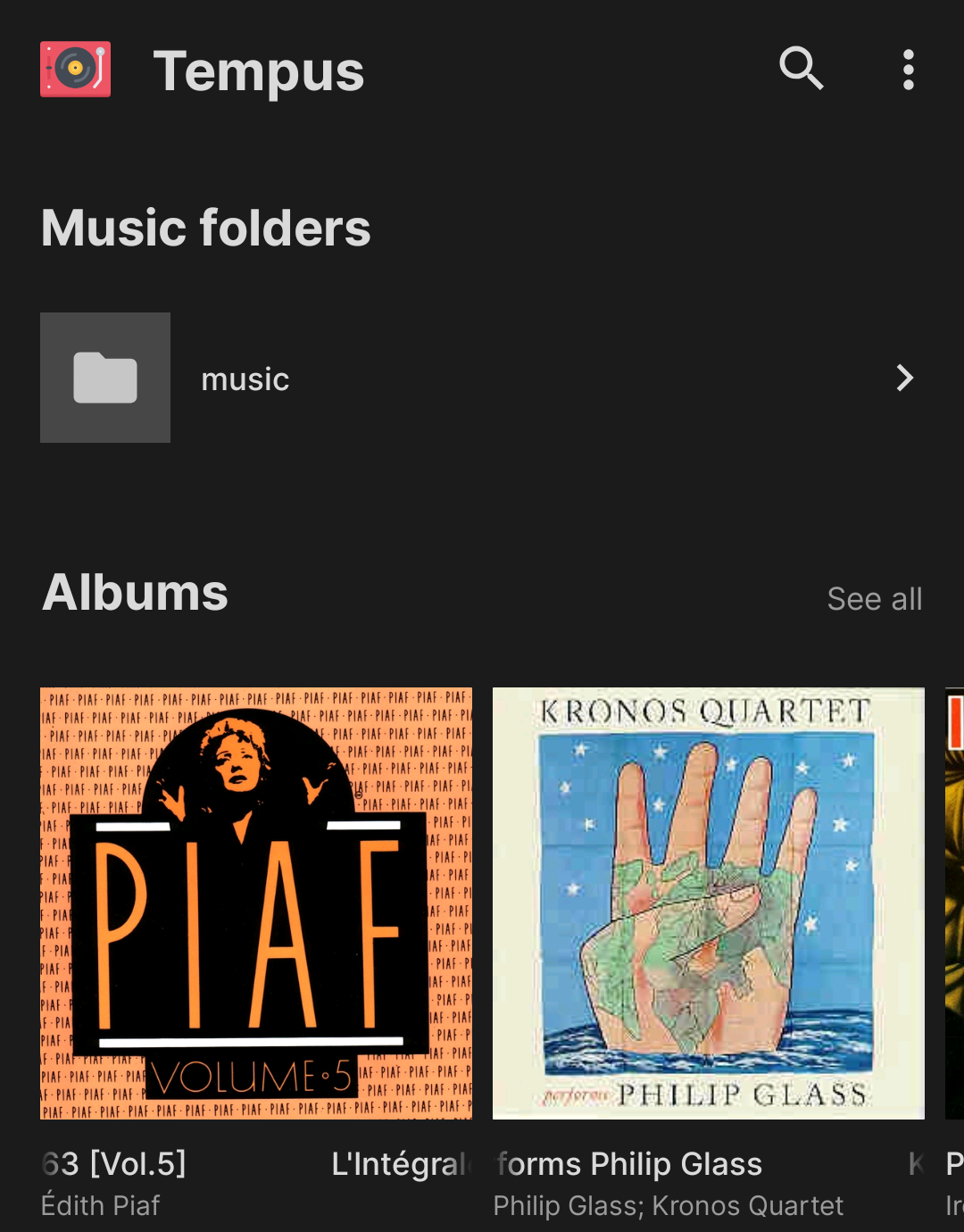
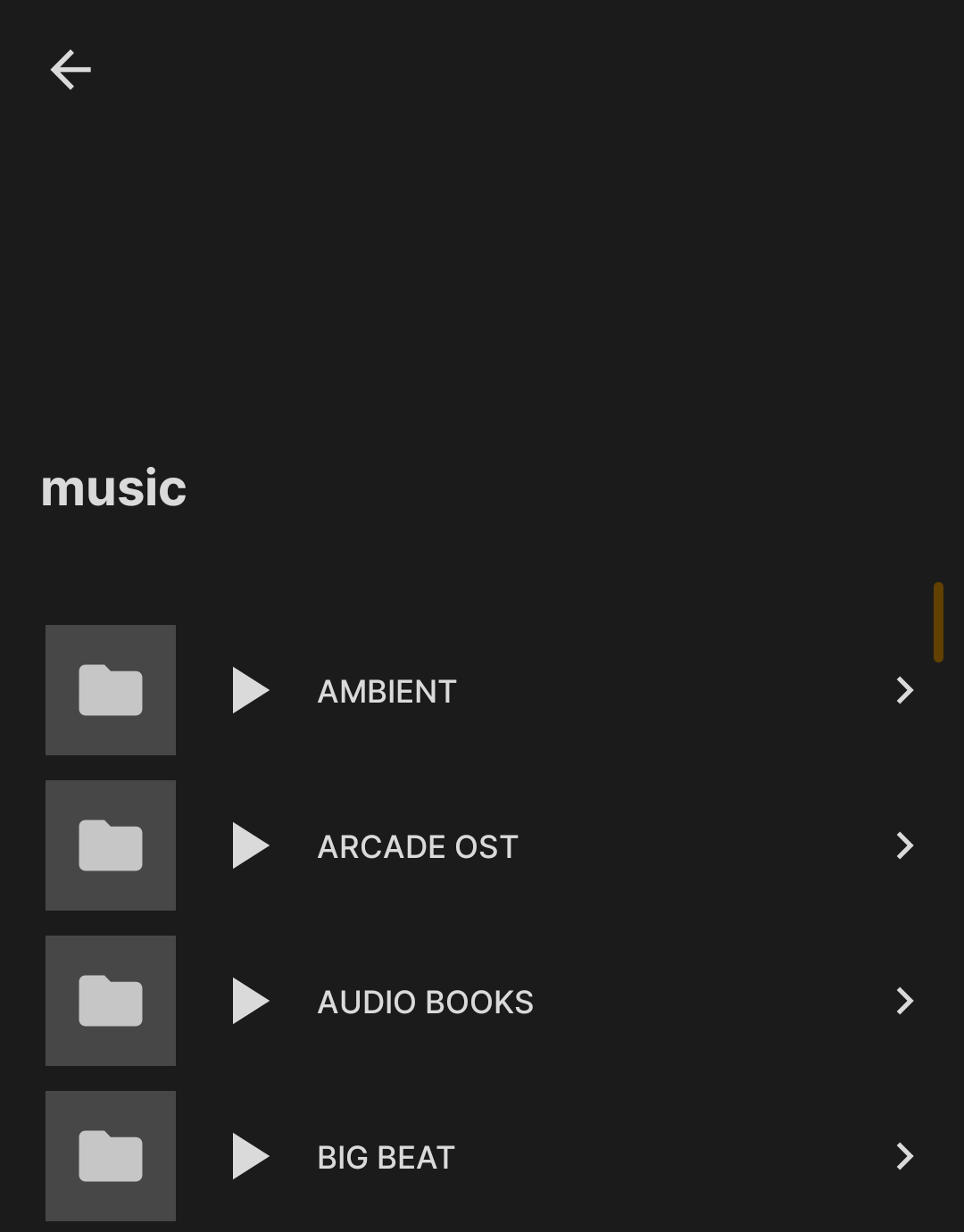
- The **Library ▸ Music folders** screen shows each top-level folder with a play icon only after you drill into it. The root entry remains a simple navigator.
- When viewing **inner folders** **or artist index entries**, tap the new play button to immediately enqueue every audio track inside that folder/index and all nested subfolders.
- Video files are excluded automatically, so only playable audio ends up in the queue.
No extra config is needed—Tempus adjusts based on the connected backend.
### Now Playing Screen
On the main player control screen, tapping on the artwork will reveal a small collection of 4 buttons/icons.
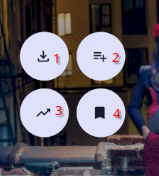
*marked the icons with numbers for clarity*
1. Downloads the track (there is a notification if the android screen but not a pop toast currently )
2. Adds track to playlist - pops up playlist dialog.
3. Adds tracks to the queue via instant mix function
* TBD: what is the _instant mix function_?
* Uses [getSimilarSongs](https://opensubsonic.netlify.app/docs/endpoints/getsimilarsongs/) of OpenSubsonic API.
Which tracks to be mixed depends on the server implementation. For example, Navidrome gets 15 similar artists from LastFM, then 20 top songs from each.
4. Saves play queue (if the feature is enabled in the settings)
* if the setting is not enabled, it toggles a view of the lyrics if available (slides to the right)
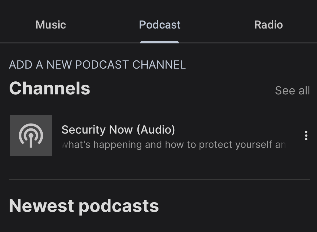
### Podcasts
If your server supports it - add a podcast rss feed
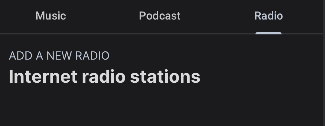
### Radio Stations
If your server supports it - add a internet radio station feed
## Navigation
### Bottom Navigation Bar
**IN PROGRESS**
- **Home**: Recently played and server recommendations
- **Library**: Your server's complete music collection
- **Download**: Locally downloaded files from server
## Playback Controls
### Streaming Controls
**TODO**
### Advanced Controls
**TODO**
## Favorites
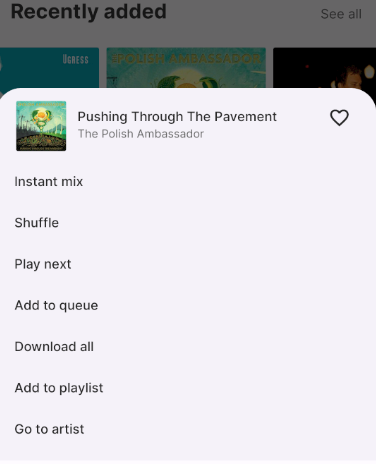
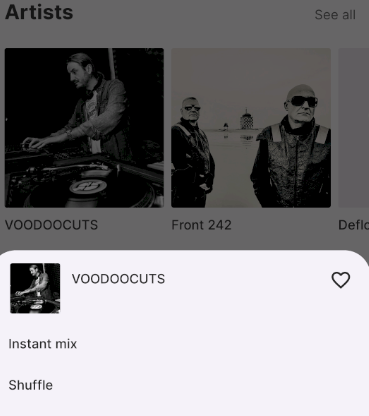
### Favorites (aka heart aka star) to albums and artists
- Long pressing on an album gives you access to heart/unheart an album
- Long pressing on an artist cover gets you the same access to to heart/unheart an album
## Playlist Management
### Server Playlists
**TODO**
### Creating Playlists
**TODO**
## Settings
## Android Auto
### Enabling on your head unit
- You have to enable Android Auto developer options, which are different from actual Android dev options. Then you have to enable "Unknown sources" in Android Auto, otherwise the app won't appear as it isn't downloaded from Play Store. (screenshots needed)
### Server Settings
**IN PROGRESS**
- Manage multiple server connections
- Configure sync intervals
- Set data usage limits for streaming
### Audio Settings
**IN PROGRESS**
- Streaming quality settings
- Offline caching preferences
### Appearance
**TODO**
## Troubleshooting
### Connection Issues
**TODO**
### Common Issues
**TODO**
### Support
For additional help:
- Question? Start a [Discussion](https://github.com/eddyizm/tempus/discussions)
- Open an [issue](https://github.com/eddyizm/tempus/issues) if you don't find a discussion solving your issue.
- Consult your Subsonic server's documentation
---
*Note: This app requires a pre-existing Subsonic-compatible server with music content.*